Multichannel sequence templates: 12 cadences in full
Twelve cadences and one 7-touch email, LinkedIn, call and SMS sequence. Every step, wait day and subject line is here, with no form.
Want to see it first? Book a demo
- All 12 in full
- No email required
- Steps, waits and copy
The short answer
- Twelve cadences: cold B2B services, cold B2B software, reply to a form fill, no-show recovery, unsold estimate, renewal, reactivation, referral partner, event follow-up, marketplace client re-contact, LinkedIn plus email, and a two-step permission ask.
- Each one gives the number of steps, the wait between them, the channel and the copy. Wait days assume the guardrail of at least three days between touches per contact.
- A multichannel sequence template spreads touches across email, LinkedIn, calls and SMS so each channel does one job. The seven-touch version below runs over 14 days, and cadence 11 is the lighter email plus LinkedIn version.
- The rule underneath all twelve: a reply on any channel stops the sequence. A cadence that keeps sending after someone answers is the fastest way to lose the reply you earned.
Why this exists
A cadence needs a shape and words. Your team has to know how many touches, how far apart, and what each one says. That fits on one page, so here it is in full.
Two warnings before you copy anything. First, the copy is a skeleton and the specifics are yours. A sentence that names nothing about the reader performs like the thousand identical ones already in their inbox. Second, none of this is permission. Whether you may email a given list under CAN-SPAM, the GDPR or CASL is your decision with your own counsel, and this page is not legal advice.
A note on unsubscribes. Every commercial email in these cadences should carry a working opt-out line, including the ones that feel personal. It is a requirement in most of the places you are sending, and it is also the cheapest way to keep complaint rates down.
The twelve cadences, in full
1. Cold B2B services, 4 steps over 12 days
For selling a service to a company that has never heard of you.
- Day 0, email. Subject: "{first_name} — {specific_observation}". Body: one sentence naming the thing you noticed about their business, one sentence on what you do for companies in that position, one question asking whether it is worth ten minutes. Opt-out line.
- Day 3, email, same thread. Subject: reply to step one. Body: one concrete example of the work, two sentences maximum, then the same question phrased differently.
- Day 7, email, new thread. Subject: "{their_company} + {your_company}". Body: reframe around a different problem in case the first framing missed. Do not mention that you emailed before.
- Day 12, email, same thread as step three. Body: the close-the-file message. "I will stop here. If this becomes relevant, reply to this and I will pick it up." Nothing else.
2. Cold B2B software, 5 steps over 18 days
Longer, because a software evaluation involves more people than a service purchase.
- Day 0, email. The problem in the reader's language, not the product's. One question.
- Day 4, email, same thread. A specific mechanism: how the thing actually works in one sentence. No adjectives.
- Day 9, email, new thread. The comparison question: "how are you handling {problem} today?" This is the step that gets replies from people who have a workaround they are unhappy with.
- Day 14, email, same thread. Address the likely objection before they raise it. Price, migration effort or internal buy-in, whichever fits the segment.
- Day 18, email. Close the file. Leave the door open with a single sentence.
3. Reply to a form fill, 3 steps over 5 days
They asked. Speed matters more than cleverness.
- Immediately, email or call. Acknowledge what they asked about specifically. Offer two concrete times or a booking link.
- Day 2, email, same thread. "Still happy to help with {what_they_asked}." Repeat the link.
- Day 5, email. "Assuming the timing was wrong. Reply here whenever it is right." Stop.
4. No-show recovery, 3 steps over 7 days
- Same day, email. No guilt, no "sorry we missed you" passive aggression. "Rescheduling is easy: {link}."
- Day 3, email, same thread. One line offering a shorter slot, in case the original length felt like too much.
- Day 7, email. Close the file and leave the link.
5. Unsold estimate, 4 steps over 21 days
For anyone who quotes work and waits.
- Day 1, email. "Anything in the estimate you want me to walk through?" One question, no pressure.
- Day 5, email, same thread. Address the objection you did not hear: usually price, timing or scope. Pick the one that fits the job.
- Day 12, email. Offer a smaller version. A partial yes beats a slow no.
- Day 21, email. "I will assume you went another way. Happy to be wrong." A clear last message makes it easy to answer, and even a no tells you why the job went elsewhere.
6. Renewal or agreement expiry, 3 steps over 45 days
- 60 days out, email. The date, what renews and what changes. Nothing to decide yet.
- 30 days out, email. The decision, with the simplest possible yes.
- 7 days out, email or call. The last chance to renew without a gap. This one is worth a phone call rather than a template.
7. Reactivation, 3 steps over 14 days
Customers who bought once and went quiet.
- Day 0, email. "It has been {time} since {what_you_did}." A specific memory beats a generic check-in.
- Day 6, email. What has changed on your side that is relevant to them.
- Day 14, email. A direct question with an easy no. "Should I keep you on this list?"
8. Referral partner, 4 steps over 30 days
- Day 0, email. Name the overlap in customers and be explicit that you are proposing a two-way arrangement.
- Day 7, email. Send one referral first, if you honestly have one. Nothing else in this cadence works as well.
- Day 16, email. Propose the mechanics: what you would send, what you would want, how introductions get made.
- Day 30, email. Close the file politely, and leave room to ask again next year.
9. Event or webinar follow-up, 3 steps over 10 days
- Day 1, email. Reference something specific from the event, not the event itself.
- Day 4, email. The resource you promised, or one they would find useful.
- Day 10, email. The ask, once, with a booking link.
10. Marketplace client re-contact, 3 steps over 20 days
For agencies who won work on Upwork or Fiverr and never spoke to the client again. Upwork's Terms of Use contain a non-circumvention clause, so read them before you contact an Upwork client off the platform.
- Day 0. Reference the specific project and its outcome in their words.
- Day 8. The adjacent problem you can see from what you built for them.
- Day 20. A direct offer with a scope and a number.
11. LinkedIn plus email, 5 touches over 15 days
The LinkedIn steps are worked by a person, one at a time.
- Day 0, LinkedIn. Connection request, no note.
- Day 2, email. The cold opener from cadence one, step one.
- Day 6, LinkedIn. If they accepted, one message that is not a pitch. A question about something they posted.
- Day 10, email. The mechanism message.
- Day 15, email. Close the file.
12. The two-step permission ask, 2 steps over 5 days
The shortest useful cadence. Good for senior buyers and for lists where you want a low complaint rate.
- Day 0, email. Three sentences. What you do, why you are writing to them specifically, and "may I send you the one-page version?"
- Day 5, email. "Taking the silence as a no, which is a fine answer." Stop.
A multichannel sequence template: email, LinkedIn, call and SMS
Seven touches over 14 days for a warm-ish list, such as event attendees or inbound leads who went quiet. Every touch lands on a different day.
| Day | Channel | What the step does | Copy or instruction |
|---|---|---|---|
| 0 | Opens the thread | One observed fact about their business, what you do for companies like theirs, and one question. Opt-out line. | |
| 1 | Connection request, sent by a person | No note. Your name on the email and the request should match. | |
| 3 | Call | Call task for a rep | Ring once. If you reach voicemail, leave 20 seconds that point to the email by its subject line. |
| 5 | Email, same thread | Adds proof | One concrete example in two sentences, then the same question asked a different way. |
| 7 | Message, if they accepted | A question about something they posted. No pitch and no link. | |
| 10 | SMS | Short nudge, only to contacts who gave you their mobile and consent | "Sent you a note about {topic} on Monday. Worth a 10-minute call this week? Reply STOP to opt out." |
| 14 | Closes the file | "I'll stop here. Reply to this whenever the timing is right." Nothing else. |
A reply, a booked meeting or an opt-out on any channel ends the sequence for that contact.
Text only the people who said yes to texts
How to run these in SalesCrew
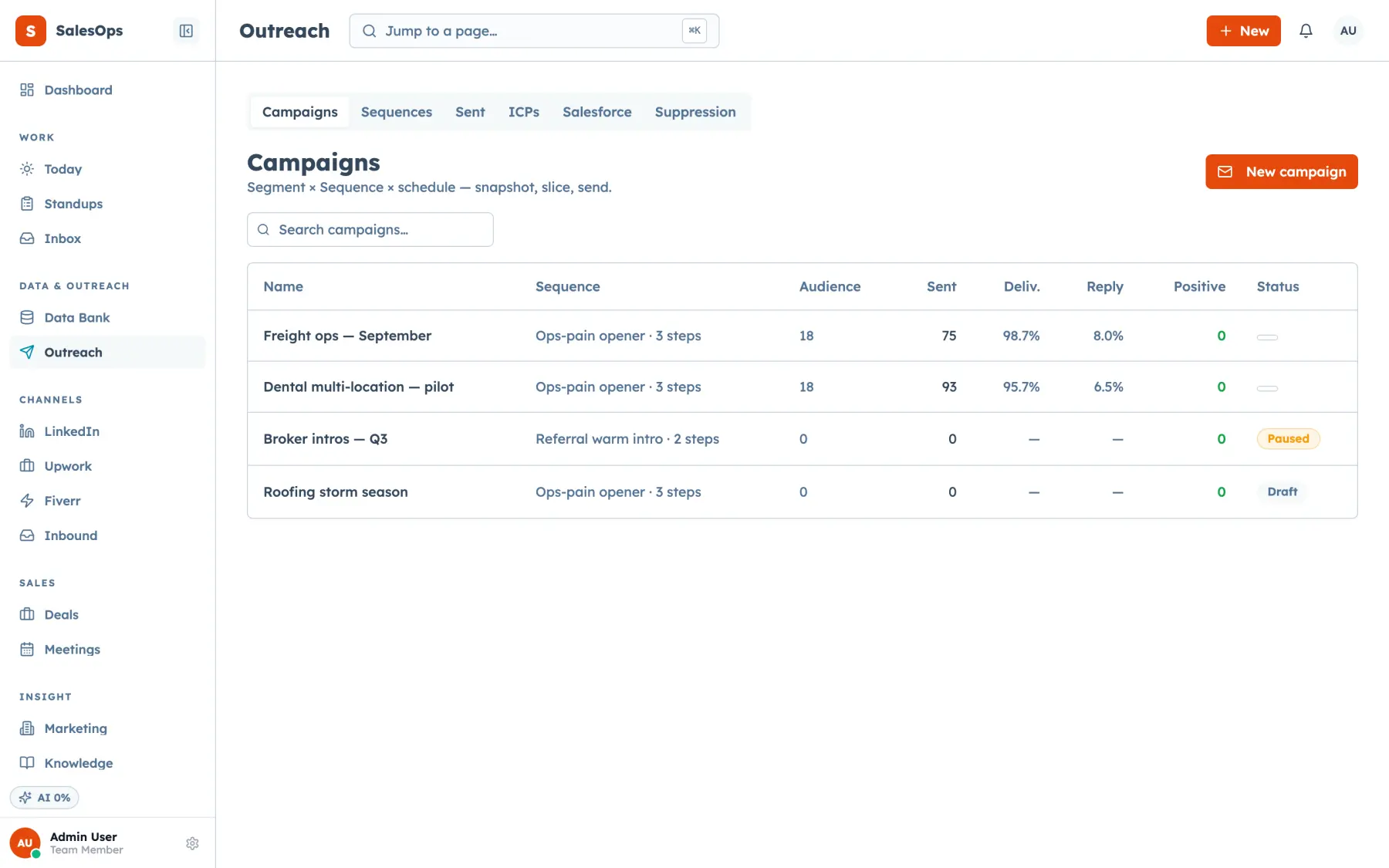
Each cadence is a sequence with its steps and wait days set as configuration. The audience comes from a segment that freezes with suppression applied, and a reply pauses the sequence for that contact automatically. Email steps leave through the mailbox pool: SalesCrew rotates your own connected mailboxes, stamps a cooldown on each send, and holds every mailbox and every domain to its daily cap.
The multichannel template above maps straight onto step kinds. Email steps send from the pool. LinkedIn steps land in a queue your team works by hand, with every touch logged in the ledger. Call steps become call tasks for a rep, SMS steps go out with consent checks and STOP handling, and an await-event step holds the sequence until something happens, like a booked meeting.
Guardrails do the enforcing that discipline usually fails at: at least three days between touches per contact, a cap per cadence, per-mailbox and per-domain daily limits, and a business-hours send window so a step whose timer expires at 2am waits until morning.
Every one of these steps also exists as an MCP tool, so an agent can build the sequence, enrol the audience and read the funnel back. Sending stays in the review class by default, which means an agent proposes and a person approves.
Related
- Cadences and campaigns
- The cold email prompt pack
- The deliverability checklist
- How many steps in a cadence
- How long between follow-ups
- How to write a cold email that gets replies
- Running a multichannel cadence
- How to run LinkedIn and email together
- How to run email, SMS and calls in one cadence
- Follow-up email templates for every step
- Reply-handling templates
- Cold email templates for agencies
- All templates
- Pricing
Load one of these and run it in review
Fourteen days is enough to see whether the shape works before you write a word of your own.
Want to see it first? Book a demo