The CRM your agents can run and your clients can own
Every button is also an MCP tool. Every AI action waits in one approval queue. Every client gets their own database.
Want to see it first? Book a demo
- Unlimited seats
- Your own database
- AI waits for your approval

Five things that are rare together
Most tools give you one or two. The combination is the product.
Agent-operable by design
Every action in the app is also an MCP tool with identical effect. Claude, ChatGPT or Cursor can run the CRM, not only read it.
Read moreHuman in the loop, as a control plane
Per-agent modes, one approval queue, guardrails, an audit log of every tool call, and a kill switch you own.
Read moreYour own database
One Postgres project per client. Data isolation, full export whenever you want it, and your own AI key if you prefer.
Read moreOutbound-complete, and allowed
Data bank, suppression enforced at audience freeze, cadences and a sender pool, beside a real pipeline, not bolted on.
Read moreThe whole funnel in one database
Ad spend and organic data sit next to leads and deals, so cost per lead by channel is a query rather than a spreadsheet.
Read moreMarketplaces as a channel
Upwork and Fiverr bids tracked as pipeline, with the outcome of every proposal.
Read moreApproval queue
Every AI action waits in one queue
Each proposal arrives with its confidence, its evidence and what it costs. Approve, edit or reject — and a kill switch stops everything at once. The agent never acts behind your back.
- send_emailconfirm2 cr0.921 contactApproveRejectDraftRe: your question about onboarding
Thanks for the reply. Yes, imports and the first cadence are set up on the call, so there is no separate project. Would Thursday at 10 work?
Evidence- Reply classified interested
- Two open slots on the calendar
- Not in suppression, not in cooldown
- update_stageconfirm1 cr0.781 recordApproveReject
- enrich_contactsreview12 cr0.6434 recordsApproveReject
Reply inbox
Replies classified before you read them
Rules triage first and a model only as a fallback. Interested, question, objection, auto-reply — the queue is sorted by the time you open it.

Cadences
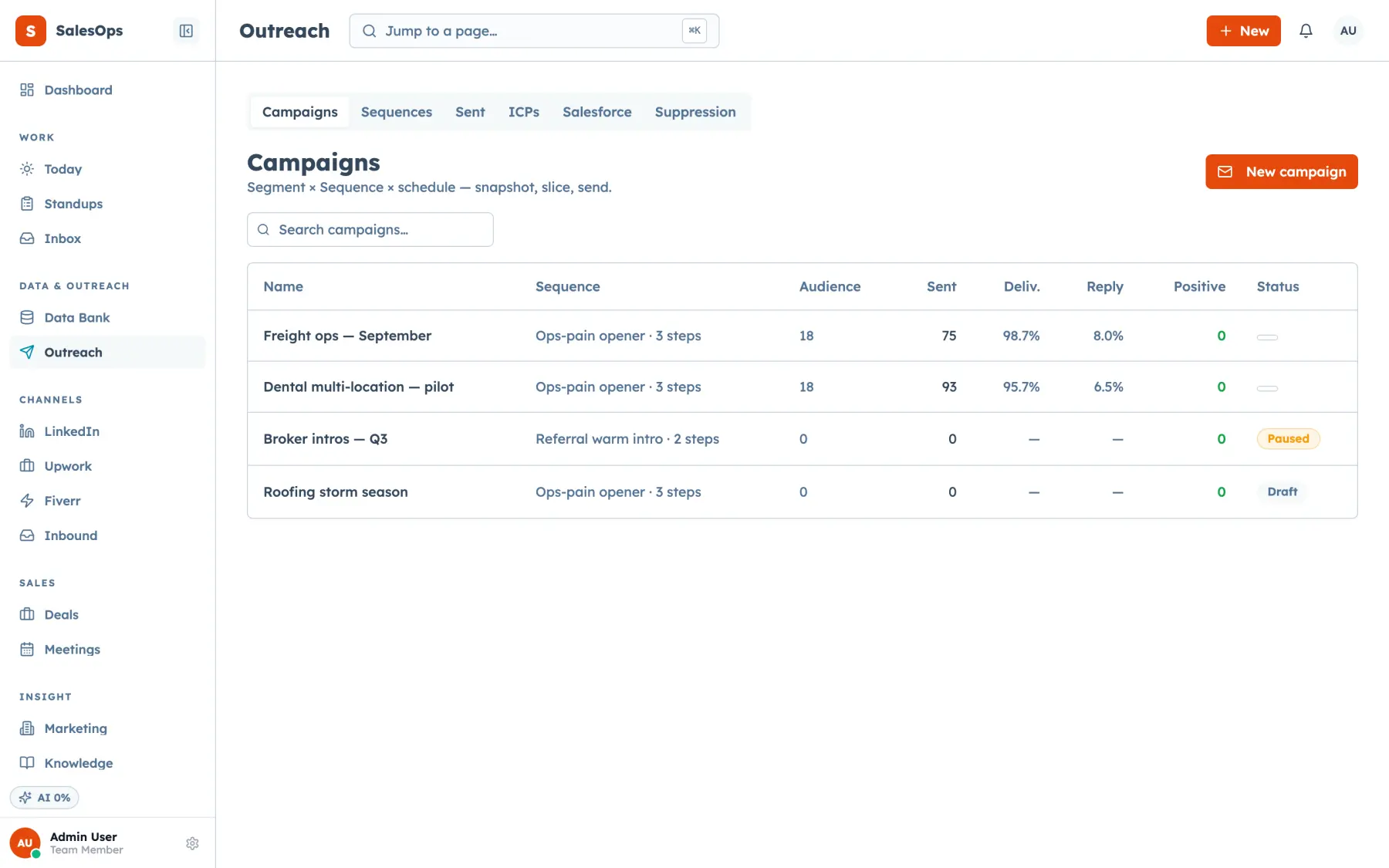
Outbound that belongs in the CRM
Segment × sequence × schedule, with suppression enforced when the audience freezes. Not a separate tool you reconcile by hand.
Marketing
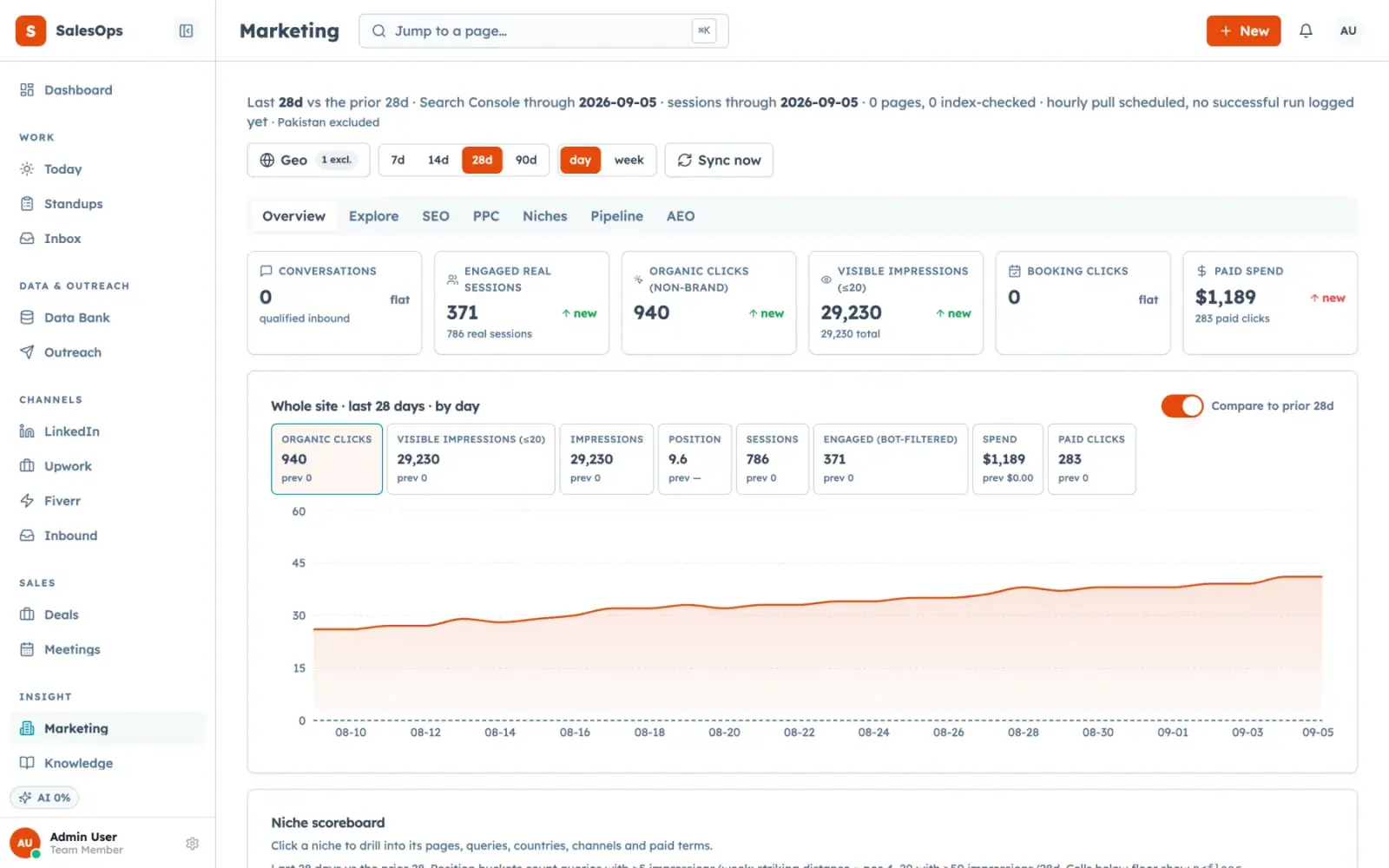
Spend sits beside the leads it bought
Ad spend and organic data live in the same database as deals, so cost per lead by channel is a query rather than a spreadsheet.
One lead, end to end
The same database holds the form, the follow-up, the reply and the deal.
- 1
It arrives
A form, a booking or an import lands as a lead with its source attached.
- 2
It gets worked
A cadence runs across email and LinkedIn, pausing the moment anyone replies.
- 3
The reply is read
Rules classify it first, a model only as a fallback, and the thread lands in one inbox.
- 4
An agent drafts
The reply draft, the score and the next action are prepared and flagged as AI.
- 5
You approve
The queue shows the draft, the evidence and the cost. Approve, edit or reject.
- 6
It becomes a deal
Stages, probability and a weighted forecast, with every change in the audit log.
Pricing
Unlimited seats on every tier.
| Tier | Price | For |
|---|---|---|
| Core | $299/mo | A team running inbound and email outbound |
| Outbound | $699/mo | Teams sending at volume with agents on |
| Agency | $1,200/mo | Agencies running instances for clients, plus marketplaces |
Local, the phone and SMS tier, sits beside these three on the pricing page.
Questions
- Is this for agencies or for in-house teams?
- Both, and they buy it for different reasons. Agencies want one instance per client with their own branding; in-house teams want outbound and a pipeline in one place.
- Does it allow cold email?
- Yes. Cold outbound is allowed, and the suppression list is enforced when an audience is frozen and again at send. Your own duties under CAN-SPAM or GDPR stay with you.
- Can I bring my own AI key?
- Yes. Your key is stored in a secrets vault and never displayed again, and your AI allowance is not consumed.
- What happens to my data if I leave?
- You take it. Each client runs in a dedicated Postgres project, so the export is the whole database, not a set of CSVs.
- Does it handle phone calls and SMS?
- Yes. SalesCrew places outbound calls through Vapi and logs each one against the contact. Phone numbers, two-way SMS and missed-call text-back write to the same database.
- How many seats can we add?
- As many as you need. Seats are unlimited on every tier, so the whole team, a contractor and your client's staff can all log in.
Request access
An admin approves every new account. Tell us what you are fixing, and you get an email when your workspace is ready.
Want to see it first? Book a demo