Find out what your marketplace bidding is actually worth
Upwork and Fiverr treated as a sales channel: a job feed with a gate, every proposal recorded, outcomes tracked from viewed to interviewed to hired, and clients linked to the pipeline.
Want to see it first? Book a demo
- Feed with a scoring gate
- Outcomes tracked per proposal
- Bids appear as pipeline
The short answer
- SalesCrew pulls the Upwork job feed on your saved searches, runs a gate over it, and shows only the jobs that pass, so a bidder works a short list instead of a firehose.
- Every proposal is recorded against the job and the client, and outcomes are tracked through viewed, interviewed and hired, which makes connect spend measurable rather than a feeling.
- Marketplace clients become company and deal records on the same board as every other channel, so a marketplace win sits in the same forecast as an inbound one.
What it does
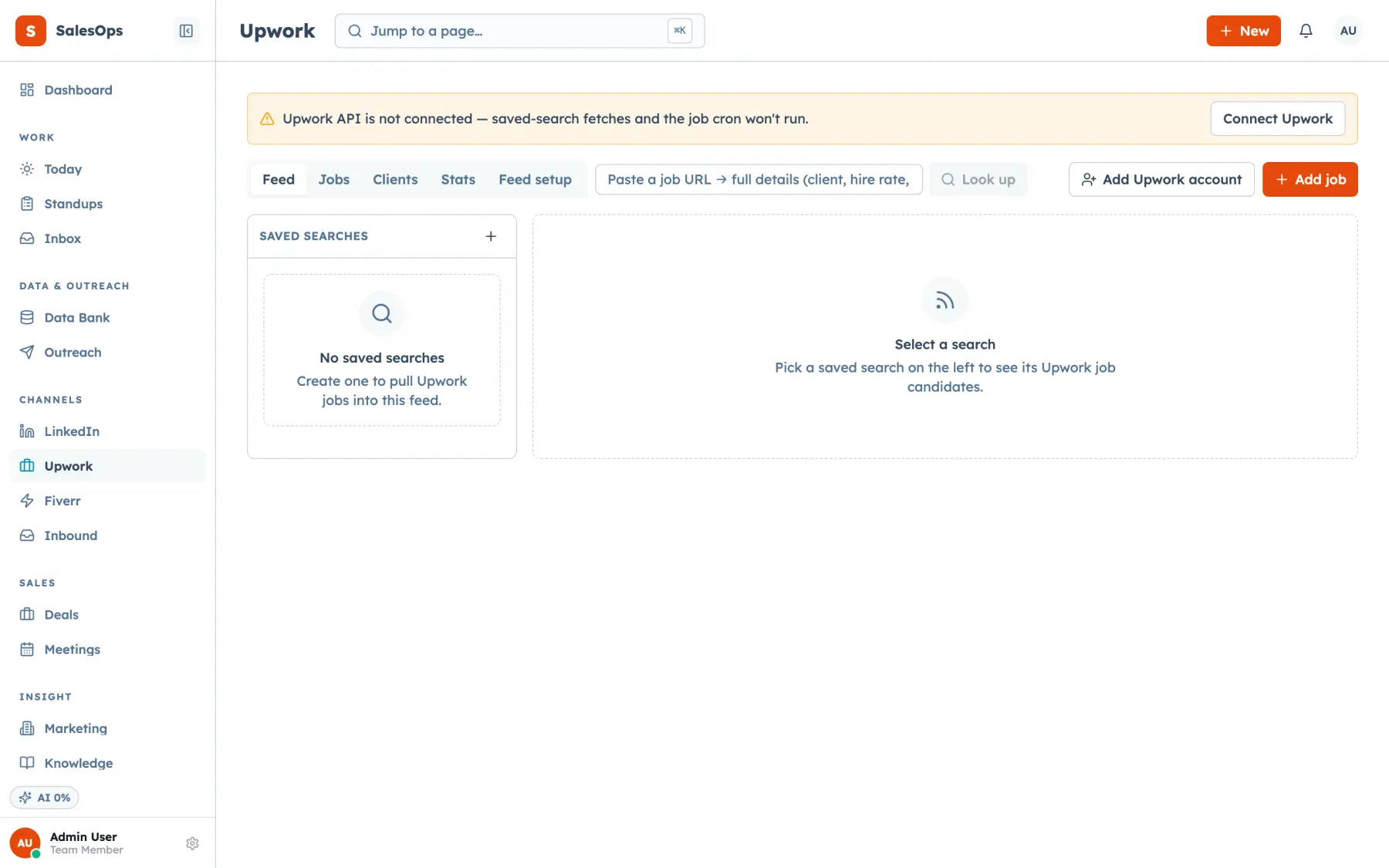
The Upwork module starts with searches. You define them the way you would on the site, and the feed pulls matching jobs on a schedule. A gate then filters what reaches a human: client history, spending, hire rate and the thresholds you set decide what is worth a connect. Jobs that pass land in the feed with the client record attached, and upwork_feed_status tells you whether the pull is current before you act on an empty list.
Bid and you record the proposal. From there the module tracks what happened: viewed, interviewed, hired, or nothing. Those outcomes roll up per search, per profile and per period, which is the number nobody has when they run marketplace bidding out of a spreadsheet. Client records accumulate across jobs, so a repeat poster is a known account rather than a fresh unknown, and you can attach a LinkedIn profile to a client to close the identification gap.
Fiverr is a channel queue rather than an API module. Fiverr has no equivalent feed, so what you get is the queue and the ledger: work items with paste-ready text, statuses and outcomes, logged against the same records. It is the same shape as the LinkedIn queue.
The MCP twins carry the whole module. upwork_search_create, upwork_search_update and upwork_search_runs manage searches; upwork_job_lookup and upwork_persist_job handle jobs; upwork_record_proposal records a bid; upwork_clients_list and upwork_client_get read client history; upwork_stats returns the outcome rollup; and create_deal_from_upwork_job turns a job into a deal on the pipeline board.
Client records built from job history
upwork_client_set_linkedin and the record carries the firm behind the account.What is different here
Each of these hangs off one of the five ideas the product is built on.
Bids are pipeline, not a side project
The whole funnel in one place: a marketplace job becomes a deal on the same board with the same stages, so it appears in the same weighted forecast.
Read moreA gate before a human looks
Outbound-complete: the feed is filtered by client history and your thresholds, so bidding time goes to the jobs that were worth reading.
Read moreConnects are human-only spend
Human in the loop: spending connects is the human-only class in the policy table. No agent mode exists that lets a bot buy them.
Read moreThe feed is queryable
Agent-operable by design: searches, jobs, proposals and stats are MCP tools, so an agent can shortlist jobs and draft a proposal for review.
Read moreHow you get the channel running
Same four beats as every module.
- 1
Connect
Link your Upwork account and profiles, and add the Fiverr channel queue if you sell there. Credentials go into the secrets vault.
- 2
Configure
Build your searches, set the gate thresholds on client spend and hire rate, and grant each bidder access to their own profile under the three-axis scopes.
- 3
Run in review
Work the gated feed by hand for a week. Record proposals and outcomes so the rollup has something to compare against.
- 4
Move to auto
Shortlisting and enrichment can run themselves. Proposals are an external send, so they stay in review, and connect spend stays human-only.
Proposals wait for your approval
Start a proposal from the feed with Propose via approval, and SalesCrew parks the submit in the approval queue with the bid and the cover letter beside it. You approve it, and it goes out. The Upwork bid and outcome agents shortlist gated jobs and draft proposals into the same queue, so your team reviews a ready bid instead of writing from scratch.
In which tier
| Tier | Price | What you get on marketplaces |
|---|---|---|
| Core | $299/mo | Not included. |
| Local | With the phone and SMS pack | Not included. |
| Outbound | $699/mo | Not included. |
| Agency | $1,200/mo | The full module: Upwork feed and gate, saved searches, proposals, outcomes, client records, profiles, and the Fiverr channel queue. |
Unlimited seats on every tier, which matters here: a bidding team of eight costs the same as a team of two.
Questions
- Who sends the Upwork proposals?
- A person approves every proposal before it goes out. The Bid agent or a teammate drafts it, and the submit waits in the approval queue, because a proposal is an external send. Buying connects is human-only spend that no agent mode can perform.
- What does the gate filter on?
- Client history, total spend, hire rate and the thresholds you set on each search. A job that fails the gate does not reach the feed, which is the point: connects are the scarce resource.
- Can I see which searches actually produce hires?
- Yes. Outcomes are tracked per proposal as viewed, interviewed or hired, and they roll up by search, profile and period through upwork_stats and the module's own views.
- How are Upwork client records built?
- From job history, total spend and hire rate, which Upwork shares for every client. Upwork keeps the company name private, so you attach a LinkedIn profile with upwork_client_set_linkedin to name the firm.
- Does Fiverr work the same way?
- Fiverr runs as a channel queue with statuses and outcomes, the same shape as the LinkedIn queue. Each order lands on the contact and rolls up in the same reports as your Upwork work.
- Can each bidder see only their own profile?
- Yes. Marketplace profile is one of the three access axes, alongside channel and area, and the same scopes apply to MCP tokens as to logins.
Make the bidding measurable
Set one search with a gate, record a week of proposals, and read the outcome rollup.
Want to see it first? Book a demo