Cold outreach and your pipeline, one database
The data bank, suppression list, cadences, sender pool and inbox live beside the deals, so a reply becomes a deal without a second tool.
Want to see it first? Book a demo
- Unlimited seats
- Cold outbound allowed
- AI waits for your approval
The short answer
- SalesCrew allows cold outbound. Most CRMs forbid sending to a list you sourced or purchased, which is why outbound teams end up running two tools.
- Allowed is not the same as exempt. You still own consent and your obligations under CAN-SPAM, GDPR and TCPA; SalesCrew enforces suppression and opt-out on your behalf.
- The suppression list is checked when an audience is frozen and checked again at send, so a person who unsubscribed between those two moments still does not receive the message.
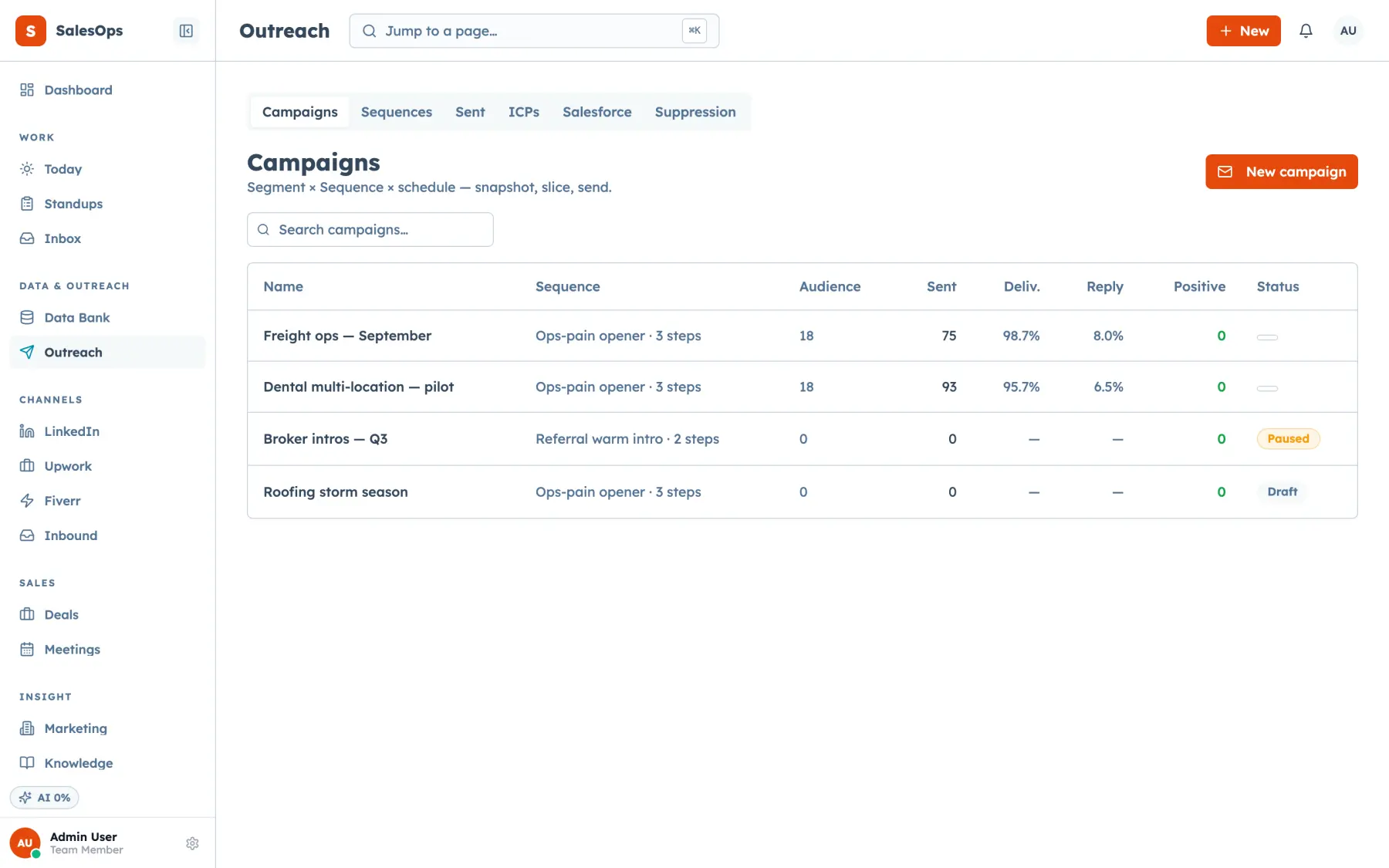
- Replies land in one inbox, get classified by rules first, pause the cadence, and can become a deal in the same database without an export or a sync.
Why most teams run two tools for this
Ask a sales team doing cold email what their stack looks like and you usually hear two product names. One is a CRM. The other is a sending tool. The reason is a policy, not a missing feature.
Mainstream CRMs restrict their email tools to people who opted in. Sending to a purchased, rented or scraped list breaks their acceptable-use terms, so the outbound team buys a separate sender. That sender is good at mailboxes, warm-up and reply detection, and knows nothing about a pipeline. It has no stages, no forecast, no company records and no place to put a deal.
So the team stitches the two together. Positive replies get copied over by hand, or by an integration that fires late and drops fields. Suppression lives in the sending tool, so the CRM happily surfaces a contact who unsubscribed last month. Reporting means adding two numbers from two dashboards and hoping they refer to the same people. Every one of those problems is a symptom of one cause: the outbound data and the pipeline data are in different databases.
SalesCrew puts them in one. The contact you sourced, the segment you froze, the cadence that touched them, the reply thread, the suppression row and the deal are rows in the same Postgres database, in your own project. A reply that reads as interested becomes a deal because it is already the same record.
The outbound loop
Eight steps, all of them in the same instance.
Build a list
The data bank holds every contact and company you import or source. A CSV import maps your columns, fills in contacts you already hold without overwriting them, matched on email, and writes an audit row. Apollo, a generic webhook and S3 CSV drops feed it too.
Read moreDefine an ICP and a segment
An ICP describes who you want. A segment is the filtered set you will actually send to. Both are objects in the database, both are editable, and both have MCP tools so an agent can build one for you.
Freeze the audience
Freezing turns a live filter into a fixed list of people. That is the moment suppression is applied, so anyone who unsubscribed, bounced or was manually suppressed drops out before the first send.
Run a cadence
Multi-step sequences across email and the LinkedIn queue, with waits between steps. A reply from that contact pauses the cadence. A minimum of three days between touches per contact is a guardrail, not a suggestion.
Send from a pool
Sending goes through a pool of connected mailboxes with per-account daily caps, cooldown stamps between touches, and a business-hours window. Suppression is re-checked at send. Bounces and complaints write straight back to the suppression list.
Classify the replies
Every connected mailbox lands in one thread list. Rules classify first and a model only fills gaps, so the labels stay predictable. An unsubscribe reply suppresses the contact automatically.
Hand positives to the pipeline
A positive reply becomes a deal with stages, probability and a weighted forecast. There is no export, no sync job and no second system holding a slightly different version of the same person.
Watch deliverability
The sender and domain registry tracks the mailboxes and domains you send from, mirrored with Instantly where you use it. Caps, spacing and the send window are the levers you have.
From an empty instance to a running cadence
What the first two weeks actually look like.
- 1
Connect your mailboxes
IMAP and SMTP, so Gmail, Outlook and cPanel mail all work. Every connected mailbox becomes both a sending account in the pool and a thread source in the inbox.
- 2
Load your suppression list
Do this before you import a single prospect. Every unsubscribe, complaint and do-not-contact you already hold goes in first, so the first frozen audience is clean.
- 3
Import contacts
CSV into the data bank, an Apollo connection, a webhook from a scraper, or an S3 drop. Companies and deals come across through the MCP tools company_create and deal_create, and duplicates_list finds any record twice so duplicates_merge can fold it into one.
- 4
Write the cadence
Steps and waits. Keep the touch spacing at three days or more; it is the default guardrail and it exists because it is the single easiest way to stay out of trouble.
- 5
Freeze and start
Freezing applies suppression and fixes the audience. Per-mailbox daily caps and the business-hours window take it from there.
- 6
Work the replies
Rules label the thread. The cadence pauses. You approve any AI-drafted reply before it sends, because every external send is set to review by default.
Allowed is not the same as compliant
This deserves its own section because it is the sentence most vendors leave out.
SalesCrew permits cold outbound. That is a policy decision about what our terms allow you to send from the product. It is not a legal opinion about your campaign, and it does not move any obligation from you to us. You own the consent question. You own compliance with CAN-SPAM in the United States, with GDPR and the ePrivacy rules where your recipients are in Europe, with CASL in Canada, and with TCPA the moment a phone number is involved. This is not legal advice, and a lawyer who knows your market is worth the hour.
What the product does is enforce the mechanical parts so they cannot be skipped. The suppression list is applied when an audience is frozen and again at the moment of send. An unsubscribe reply or a bounce writes a suppression row without anyone remembering to do it. Per-mailbox and per-domain daily caps hold, a business-hours window holds, and touch spacing holds. Every send is written to the audit log with the actor named, so you can reconstruct what went to whom.
Two more controls cover the phone side: a do-not-call scrub applied at audience freeze, and a consent gate on starting a call, which checks for a recorded consent basis before the call begins.
One practical note that has nothing to do with law and everything to do with results. Your unsubscribe line is the cheapest deliverability control you have, and it is the one most often missing from cold sends. Put it in the template, not in the plan for later.
This page is not legal advice
Where SalesCrew fits outbound best
SalesCrew fits
- You want the outbound list, the replies and the pipeline in one database you own.
- You need suppression enforced at freeze and again at send, not tracked in a spreadsheet.
- You want AI drafting replies while a person approves every one that leaves.
- You run LinkedIn beside email and want both touches on one contact timeline.
- You have more people than seat budget: seats are unlimited on every tier.
What protects your domains
- Per-mailbox and per-domain daily caps, with cooldown stamps between sends.
- A business-hours send window and at least three days between touches per contact.
- Bounces and complaints feed the suppression list on their own.
- Your Instantly sender and domain registry mirrored in, so the pool is one list.
Which tier for outbound
Per month, unlimited seats on every tier.
| Tier | Price | What you get for outbound |
|---|---|---|
| Core | $299/mo | Data bank, ICPs, segments with suppression at freeze, multi-step cadences, sending on your own mailbox pool, one inbox, the pipeline, MCP and webhooks. AI assist with an allowance of about 5,000 model calls a month. Agents run through MCP clients rather than inside the app. |
| Outbound | $699/mo | Core plus the SMS and phone pack, Instantly as a send provider, and the Campaign and LinkedIn agents. Allowance of about 25,000 model calls a month. |
| Agency | $1,200/mo | Outbound plus Upwork and Fiverr as channels, data sources, the marketing module and every agent. Allowance of about 60,000 model calls a month. |
Add-ons: agents pack on Core +$199/mo · bring your own AI key +$99/mo and your allowance is not consumed · AI top-up of 1,000 credits for $10. The AI cap is a hard stop for model calls only; manual sending never stops.
What outbound teams ask
- Is cold email legal?
- In the United States, CAN-SPAM permits unsolicited commercial email if you identify the sender, give a real postal address, do not use deceptive headers or subject lines, and honour an opt-out request promptly. In the European Union and the United Kingdom, business-to-business email generally rests on legitimate interest under GDPR, which is a higher bar and a different argument. Canada's CASL is stricter again. The channel is legal in most markets under conditions; the conditions are yours to meet, and this is not legal advice.
- Can I send to a purchased list?
- The product allows it. Whether you should is a separate question, and the answer varies by market and by how the list was built. A poorly sourced list damages the sending domains you rely on for every other campaign, which tends to cost more than the list did. Load your suppression list before the first import either way.
- How many mailboxes can I connect?
- Add as many as your sending needs. What matters more is the per-account daily cap and the spacing between touches, because those are what protect the domains you send from.
- What sending data do I get?
- Replies, bounces, complaints, opens and clicks are all tracked against the contact and the cadence step. Reply data is the number that predicts a meeting, so it leads the report.
- How does LinkedIn outreach work?
- LinkedIn messages are sent by a person from the queue. The cadence produces the message, the queue tells a person who to contact, they send it from their own account, and the ledger records the outcome against the contact. Your LinkedIn account stays in your hands the whole time.
- Can a cadence send an SMS or make a call?
- Yes. Cadence steps run as email, LinkedIn queue items, SMS and call tasks. Outbound calls go through Vapi, and each call is logged against the contact.
- What stops an AI agent sending something embarrassing?
- Policy, by default. Any external send from an agent lands in the approval queue, where you see the draft, the thread it answers, the confidence and the cost, and choose approve, edit then approve, or reject. A rejection reason feeds the next run. Every agent ships in review mode, and one kill switch on the agents page stops all of them at once.
Run one cadence and see the replies land
Fourteen days. Connect a mailbox, load suppression, import a list, put the first cadence in review.
Want to see it first? Book a demo