MCP prompts that run your CRM
Paste a prompt into Claude, ChatGPT or Cursor and SalesCrew's tools do the work. Anything headed outside your team waits for your approval.
- 10 copy-paste prompts
- Tools named for each
- Sends wait for approval
How the recipes work
- A SalesCrew MCP recipe is a plain-language prompt that an AI client turns into a short chain of SalesCrew tool calls, such as inbox_threads followed by inbox_draft_reply.
- Each recipe below names the SalesCrew tools it calls, so you can scope a token to exactly those tools' areas before you run it.
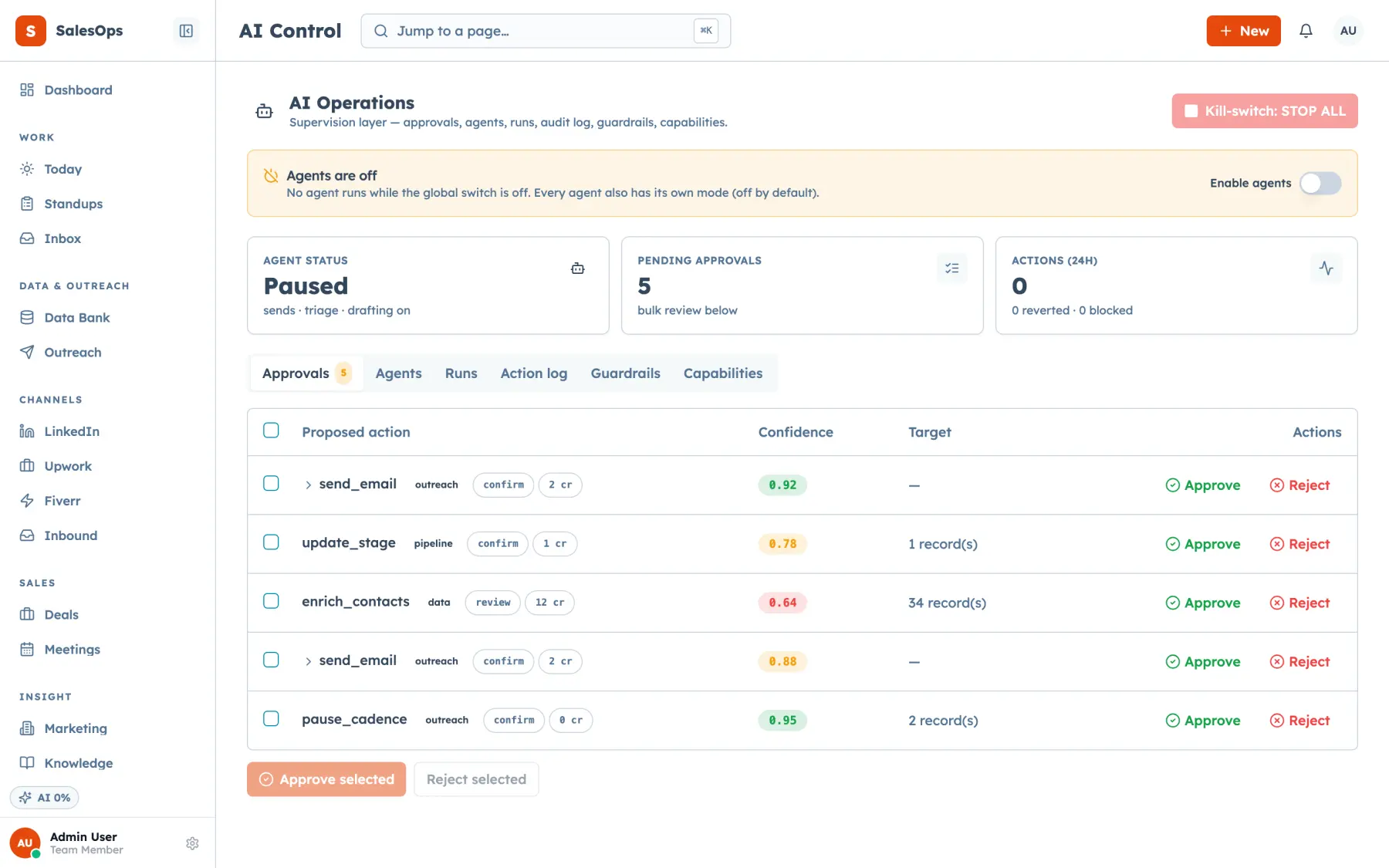
- Reads and internal writes like tasks, notes and scores run straight away. Any external send a recipe prepares waits in the SalesCrew approval queue by default.
- Every call a recipe makes is written to the SalesCrew audit log with the token as the actor, so you can trace what each prompt changed.
Ten recipes and the tools they call
Copy the prompt, swap in your own names, and run it from any MCP client connected to your instance.
| Recipe | Prompt | Tools it calls | What waits for you |
|---|---|---|---|
| Morning briefing | Give me today's briefing: new replies, deals that have stalled, and everything waiting for my approval. | daily_briefing · stalled_deals · approval_list | No wait, since it only reads |
| Inbox triage | Go through unread threads from the last 24 hours. Label each one and draft a reply to anyone who sounds interested. | inbox_threads · inbox_thread · inbox_classify · inbox_draft_reply | Each reply, when sent with inbox_reply_send |
| Deals with no next step | List my open deals with no task due in the next 7 days, and create a follow-up task on each one for its owner. | pipeline_query · task_list · task_create | No wait, since tasks stay inside the CRM |
| Score and plan a deal | Score the Northwind deal, tell me why, and add a task for the next action you'd take. | deal_get · score_recompute · score_get · task_create | No wait, since scores and tasks stay internal |
| Segment to cadence | Build a segment of marketing agencies with 10 to 50 staff from the data bank. Show me the count first, then enrol it in the Q4 agencies cadence. | icp_create · data_bank_query · segment_create · cadence_enroll | Your go-ahead on the count. Suppression applies when the segment freezes. |
| Duplicate clean-up | Find duplicate contacts at the same company and list the merges you'd make, with the record you'd keep. | duplicates_list · duplicates_merge | Every merge |
| Channel costs | Which channel cost the least per meeting booked last month? Show the numbers behind the answer. | channel_economics · marketing_breakdown | No wait, since it only reads |
| LinkedIn hand-off | Take the contacts in the Q4 agencies segment who have a LinkedIn URL and add them to the LinkedIn queue. | segment_list · linkedin_queue_add_contacts | A person sends each message from the queue |
| Upwork proposal | Look up this Upwork job, preview a proposal from our profile, and propose it for approval. | upwork_job_lookup · upwork_proposal_preview · upwork_proposal_propose | The proposal submit |
| Agent check-up | Put the inbox agent in review mode and show me its last five runs with their cost. | agent_set_mode · agent_runs | No wait, since you asked for the change |
Tool names as registered on the SalesCrew MCP server, checked 24 September 2026.
Write the prompt the way you'd brief a new hire
The best recipes name three things: the records, the limit and the check. "My open deals" names the records. "No task due in the next 7 days" sets the limit. "Show me the count first" is the check.
That check matters most on anything that writes. When you ask the agent to show its plan before it acts, you get one message to read instead of fifty records to inspect later. Once a recipe has run cleanly a few times, you can drop the check.
Keep names real. The agent finds "the Northwind deal" with deal_get far faster than it can guess what "that big deal from last week" means.
Where each recipe stops and waits
SalesCrew sorts every action into classes, and each class has a default mode. Research, tagging, logging, scoring, summaries and internal tasks run on auto. That's why the briefing, the deal score and the follow-up tasks finish without a pause.
External sends are different. An email, a LinkedIn message or a marketplace proposal goes to the approval queue by default, grouped by agent, with the evidence and the cost beside it. You approve it, or reject it with a reason that shapes the next run.
Stage changes, merges and deletions sit in review too. Spending, such as model credits, connects or ad budget, never leaves a person's hands.
Run your first recipe
About as long as it takes to copy a token.
- 1
Issue a token for the recipe
In SalesCrew Settings, create an MCP token and label it after the job, such as "inbox triage". Copy it, since it's shown once.
- 2
Connect your client
Add your instance's server URL and the token to Claude, ChatGPT or Cursor, then restart the client.
- 3
Start with the briefing
Run the morning briefing recipe first. It only reads, so it's a safe way to see how the agent uses the tools.
- 4
Check the queue and the log
Run a recipe that drafts, open the approval queue, and approve or reject the item. Then find the calls in the audit log.
Save the prompts that work
Questions
- Do these prompts work in ChatGPT and Cursor as well as Claude?
- Yes. Every recipe calls the same SalesCrew MCP server, so it runs in Claude, ChatGPT, Cursor or a custom agent with the same token. The wording can stay as it is, because the tools do the work, not the client.
- Can a recipe send an email without me?
- Not by default. Any external send an agent prepares through SalesCrew, whether an email, a LinkedIn message or an Upwork proposal, waits in the approval queue until a person approves it. You'll see the draft, the evidence behind it and the agent that wrote it.
- What if the agent picks the wrong record?
- Ask it to show you the record before it writes, as several recipes here do. Stage changes, merges and deletions default to review, and every tool call lands in the audit log with the token named, so a wrong move is easy to find and fix.
- Which plan do I need to run these recipes?
- Seven of the ten run on Core at $299 a month, which includes the MCP server and unlimited seats. The agent check-up needs in-product agents, from the $199 agents pack on Core or a higher tier. The channel-cost and Upwork recipes use the marketing and marketplace modules in the Agency tier at $1,200 a month.
Run your first recipe on your own data
Every plan includes the MCP server, the approval queue and the audit log, with unlimited seats.